Smart Deals Picks
3.5" USB Type-C IPS PC Hardware Monitor Screen
3.5" USB Type-C IPS PC Hardware Monitor Screen
Couldn't load pickup availability
Flat $4.95 shipping, free over $50
Flat $4.95 shipping, free over $50
Every order ships for a flat $4.95. Spend $50 or more and shipping is free. Shipping is calculated at checkout before you pay.
Delivered in 5 to 14 business days
Delivered in 5 to 14 business days
We pack in 1 to 3 business days. Transit takes another 4 to 11. Business days are Monday to Friday, excluding US public holidays.
30-day returns, sale items included
30-day returns, sale items included
Thirty days from delivery to ask for a return. Sale items count, and there is no restocking fee. Read the full Refund and Return Policy.
Keep an eye on your PC's vitals without giving up main-screen space.
This 3.5 inch IPS secondary screen shows your computer's key stats in real time. The 320x480 IPS panel (50 x 74 mm display area) gives sharp, wide-angle viewing, so CPU load, GPU status, RAM usage, and temperatures stay readable from most angles on your desk. It connects with a single USB Type-C cable (Type-C to the screen, USB to your PC) for both power and data, so there's no HDMI line or extra adapter. Brightness adjusts smoothly, and the screen powers off when the PC shuts down.
Why we picked it
- A screen just for stats - hardware and system info live on a separate display, leaving your main screen clear.
- One-cable hookup - plug into any USB 1.0/2.0/3.0 port, run the Windows software, and monitor with one click.
- Your layout, your look - horizontal or vertical orientation, 360 degree rotation, theme switching, background images, brightness control, and optional auto-start.
Good to know
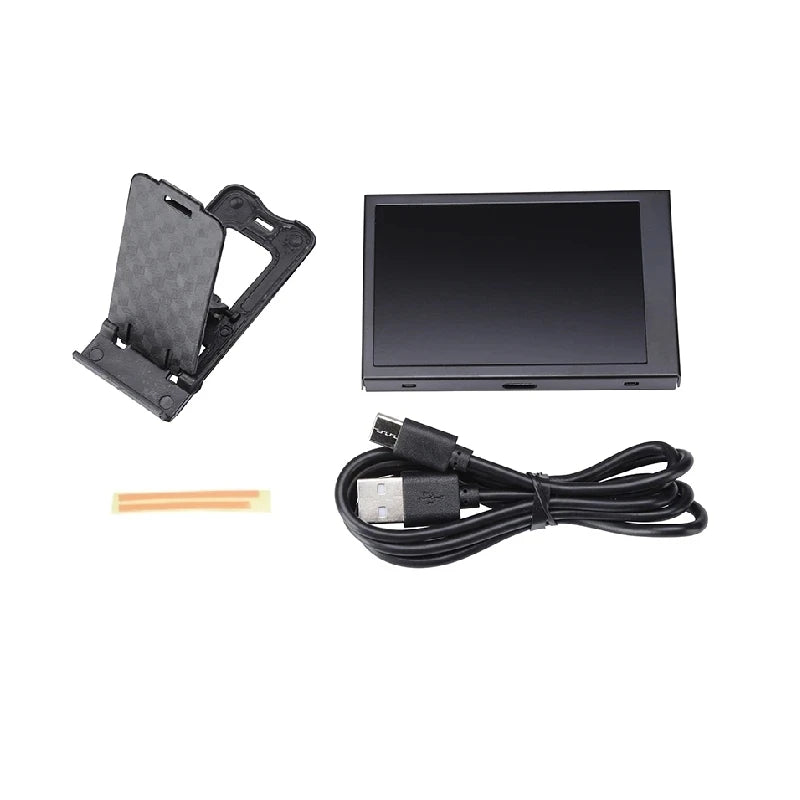
It works on Windows only, using its own companion software, and doesn't need AIDA64. A metal housing with a back cover protects the panel, and the included bracket and double-sided tape allow mounting on or near your case or monitor. On laptops, discrete-GPU readings may stay static when the system runs on integrated graphics to save power. Package: 1x 3.5 inch IPS display, 1x USB Type-C cable (approx. 1 m), 1x bracket, 1x double-sided tape.
Common questions
Q: Which operating systems are supported?
A: Windows only, using the included software. It doesn't require AIDA64.
Q: How do I set it up?
A: Connect the Type-C cable to the screen and the USB end to your PC, install and start the software, then pick your layout, theme, and brightness. No extra drivers needed.
Q: Can it show custom content or other apps?
A: No. It displays the data and layouts from the included software, focused on system monitoring.
Q: Why doesn't my laptop's GPU data change?
A: Many laptops idle the discrete GPU and use integrated graphics, so the monitored GPU values can stay static.