Smart Deals Picks
Graphic Drawing Tablet with Stylus, 10 x 6.25 Inch
Graphic Drawing Tablet with Stylus, 10 x 6.25 Inch
Couldn't load pickup availability
A drawing surface responsive enough to make digital strokes feel like pencil on paper.
This 10 x 6.25 inch graphic tablet gives you 8192 levels of pen pressure and a 5080 LPI touch resolution, so line weight and opacity follow your hand as you press harder or lighter. The battery-free stylus is light for long sessions, and a 250 PPS report rate keeps strokes smooth. The 255.06 x 159.84 mm working area leaves room for sketching, painting, retouching and note-taking, and a 10 mm pen sensing height shows the cursor as the pen nears the surface. It connects over Micro USB and works with Windows 7/8/8.1/10 and macOS 10.10 or later.
Why we picked it
- Pencil-like control - 8192 pressure levels vary line weight and opacity as you press.
- Left or right handed - The layout supports both orientations to match your hand.
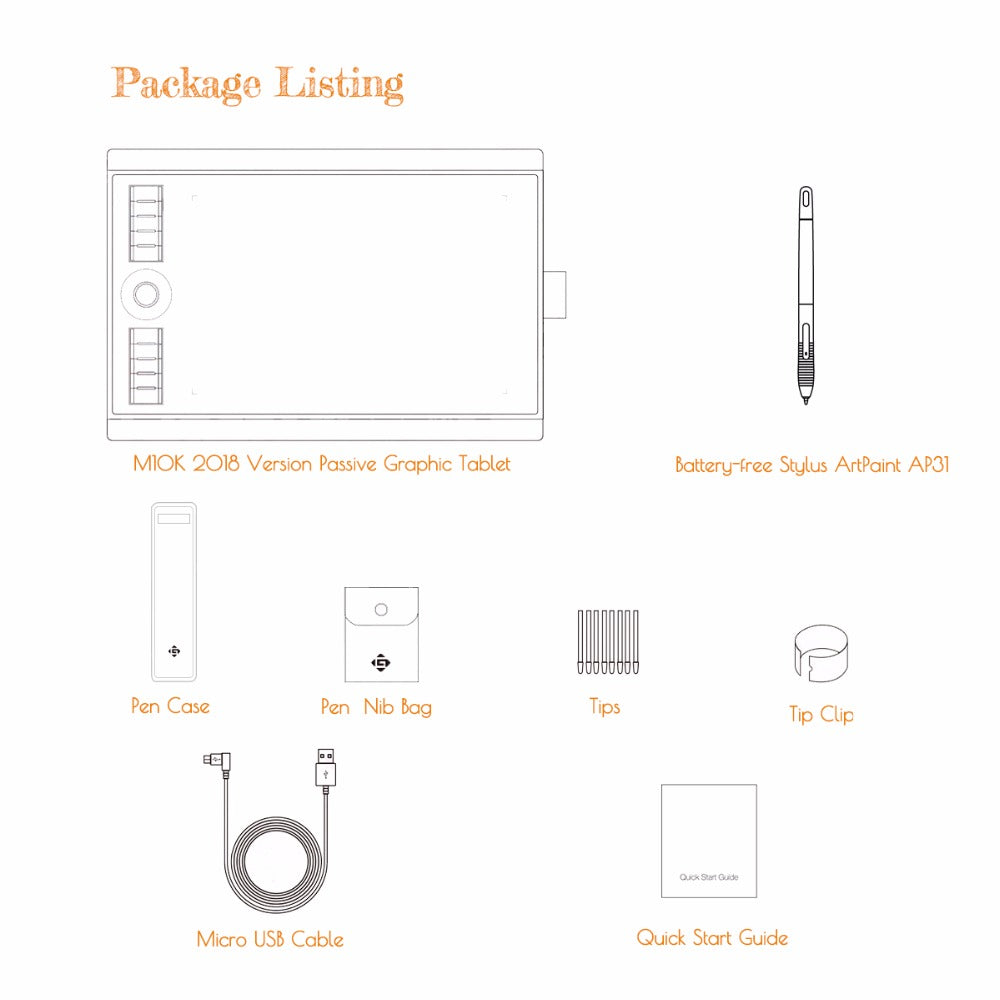
- Everything to start - Ships with tablet, pen, pen case, 8 spare nibs with clip, a felt nib pouch, USB cable and quick start guide.
Good to know
The working area is 255.06 x 159.84 mm with a 10 mm pen sensing height. It connects via Micro USB and supports Windows 7/8/8.1/10 and macOS 10.10 or later. The stylus is battery-free and never needs charging.
Common questions
Q: Does the stylus need batteries?
A: No, the pen is battery-free and does not need charging.
Q: Is it good for beginners?
A: Yes, the responsive surface and clear working area suit new and experienced artists alike.
Q: Which systems does it support?
A: Windows 7/8/8.1/10 and macOS 10.10 or later.
Q: How do I set it up left-handed?
A: Rotate the tablet and adjust your software settings so the workspace matches your orientation.
Share